
Before you start
- Age 18 or older, with a Taiwan Resident Certificate (ARC).
- A mobile number in your own name, registered with your ARC number, from Chunghwa Telecom, Taiwan Mobile (incl. T Star) or Far EasTone (incl. Asia Pacific Telecom).
- Prepaid, family or company numbers cannot pass the online identity check. If your number was registered with your passport number, online application will not work either. Use the paper form instead.
- Each ARC number can have only one online member account.
Step 0: The reminder window
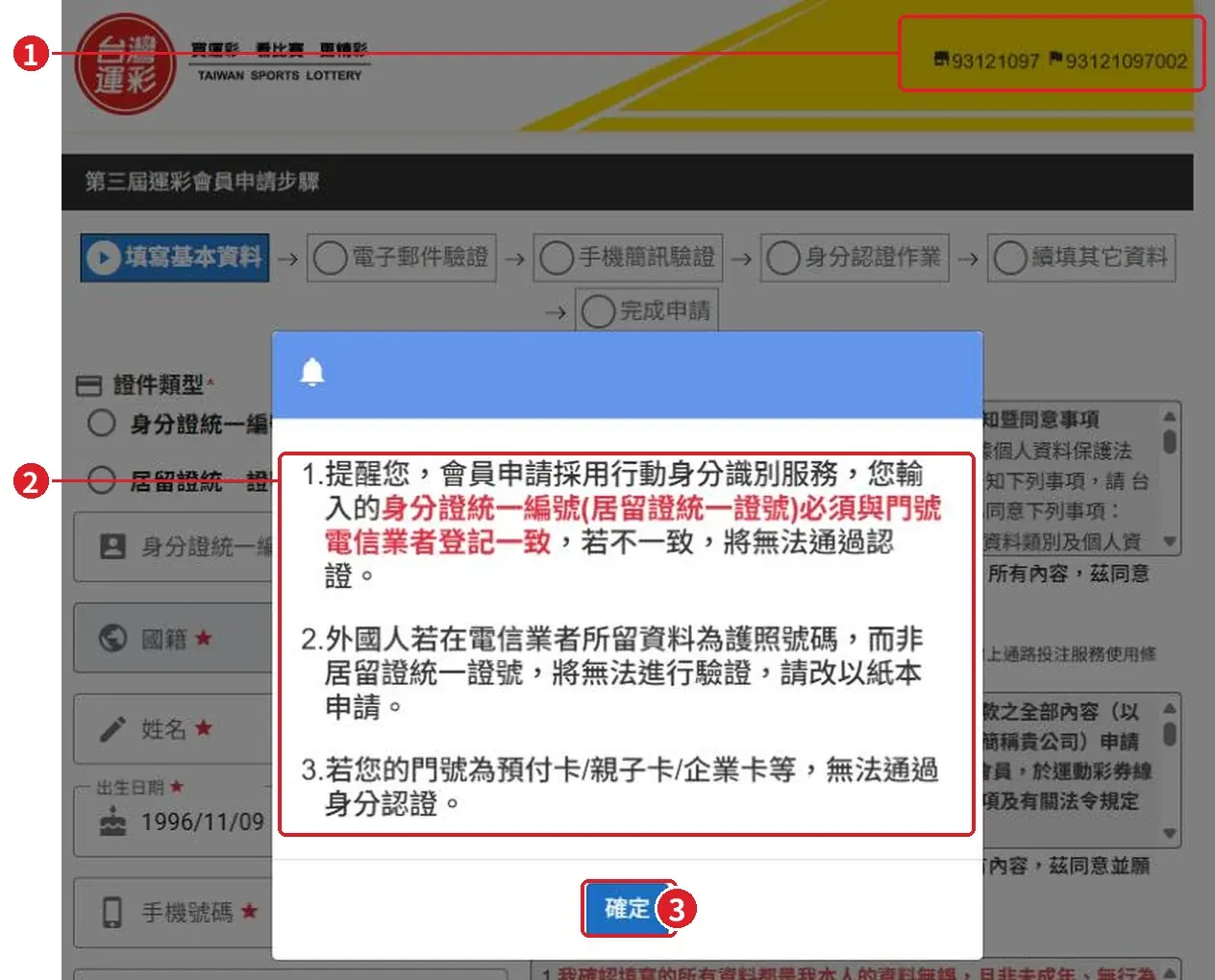
When you open the official page from our button, a reminder window appears first:
- ① Top right shows retailer number 93121097 — this means 兆豐運彩 is already set as your recommending retailer.
- ② Three reminders: your ARC number must match the one your telecom company has on record; if you registered your number with a passport, use the paper form; prepaid, family and company numbers cannot pass identity verification.
- ③ Press 確定 (OK) to start.
Step 1: Fill in your basic details (填寫基本資料)
- ① Top right: retailer number 93121097.
- ② The progress bar has 6 steps. You are on step 1.
- ③ 證件類型 (ID type): choose 居留證統一證號 (ARC number), then type your ARC number.
- ④ 國籍 / 姓名 / 出生日期: nationality, name (as on your ARC), date of birth.
- ⑤ 手機號碼 / 電信業者 / 電子郵件: mobile number, telecom company, email.
- ⑥ Read the three notices on the right and tick all three boxes.
- ⑦ Type the 驗證碼 (picture code). Press 刷新驗證碼 for a new one.
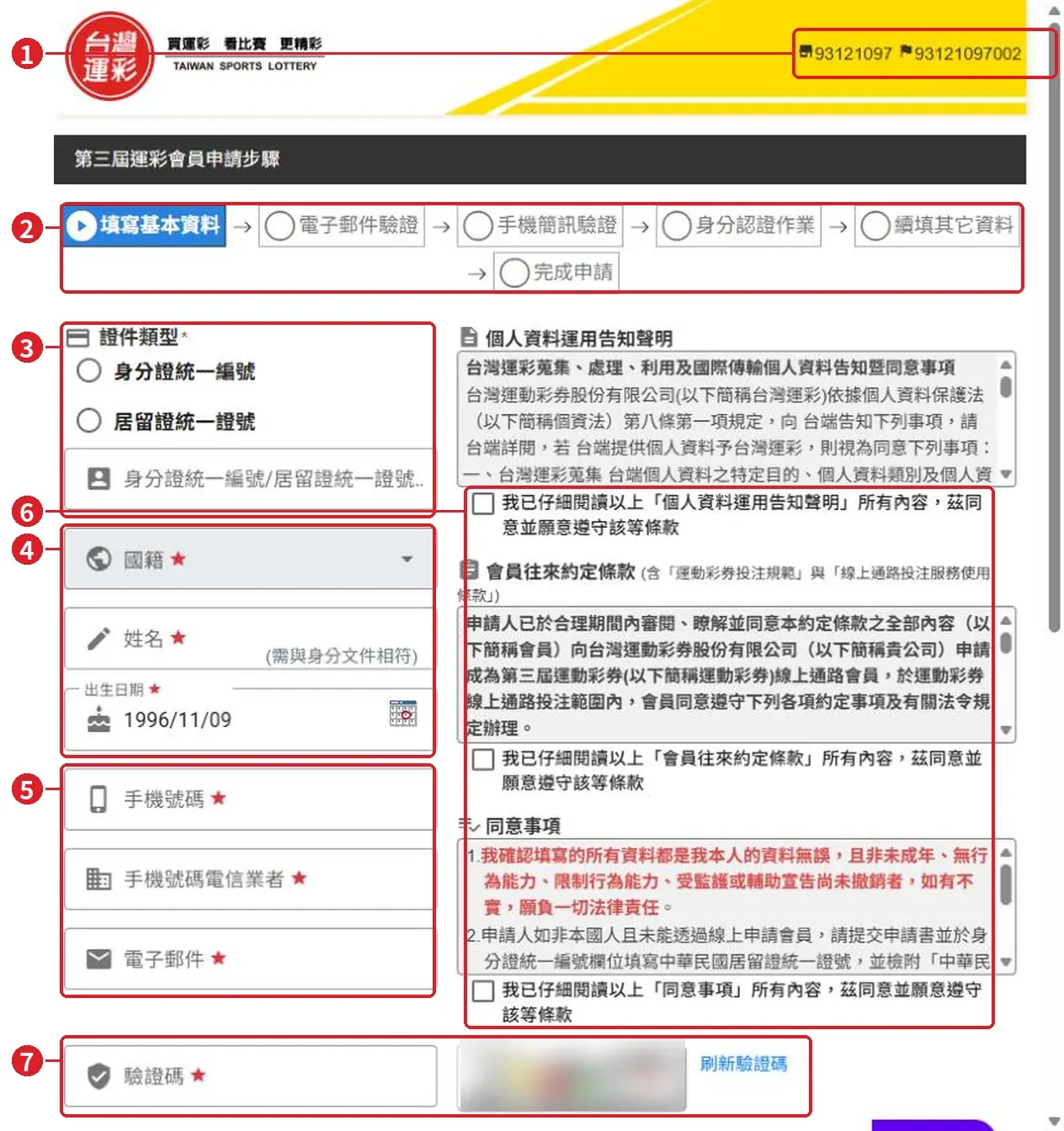
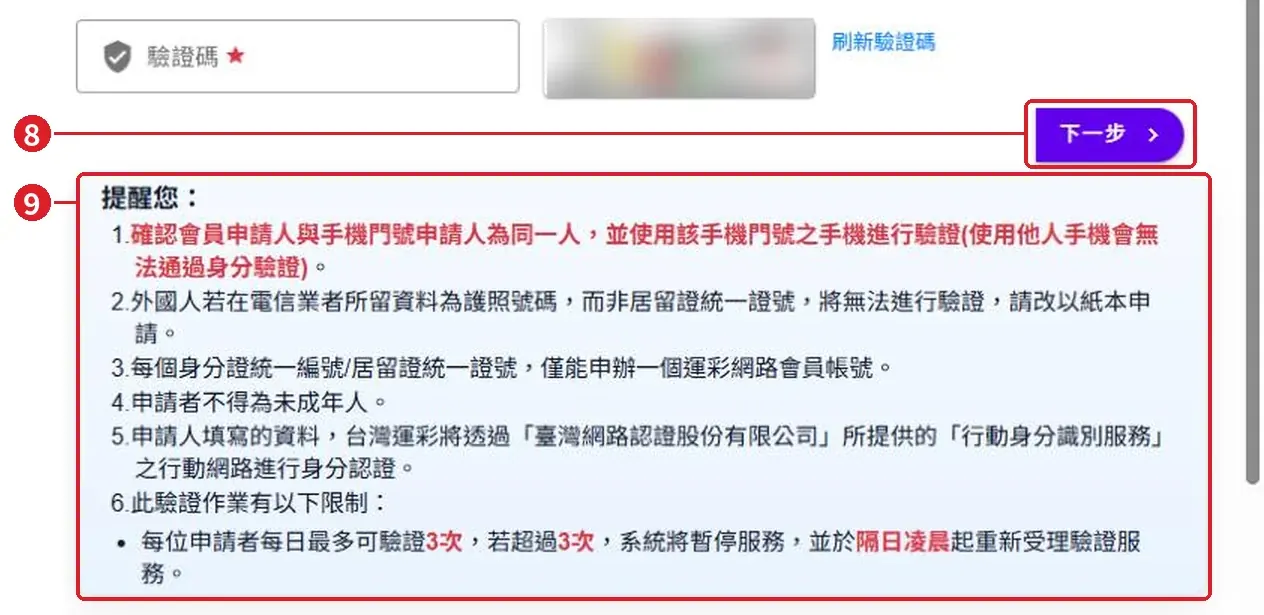
- ⑧ Press 下一步 (Next).
- ⑨ Official reminders below the button: one account per ARC number; the identity check can be tried at most 3 times a day — after that, wait until the next day.
Steps 2–6
These steps need your own email, phone and ID, so we cannot show screenshots. Follow the screen:
- 電子郵件驗證 — email verification.
- 手機簡訊驗證 — type the code sent to your phone by SMS.
- 身分認證作業 — identity check: the system checks that your ARC number matches your mobile number record.
- 續填其它資料 — fill in the remaining details.
- 完成申請 — application complete.
After approval: activate your account
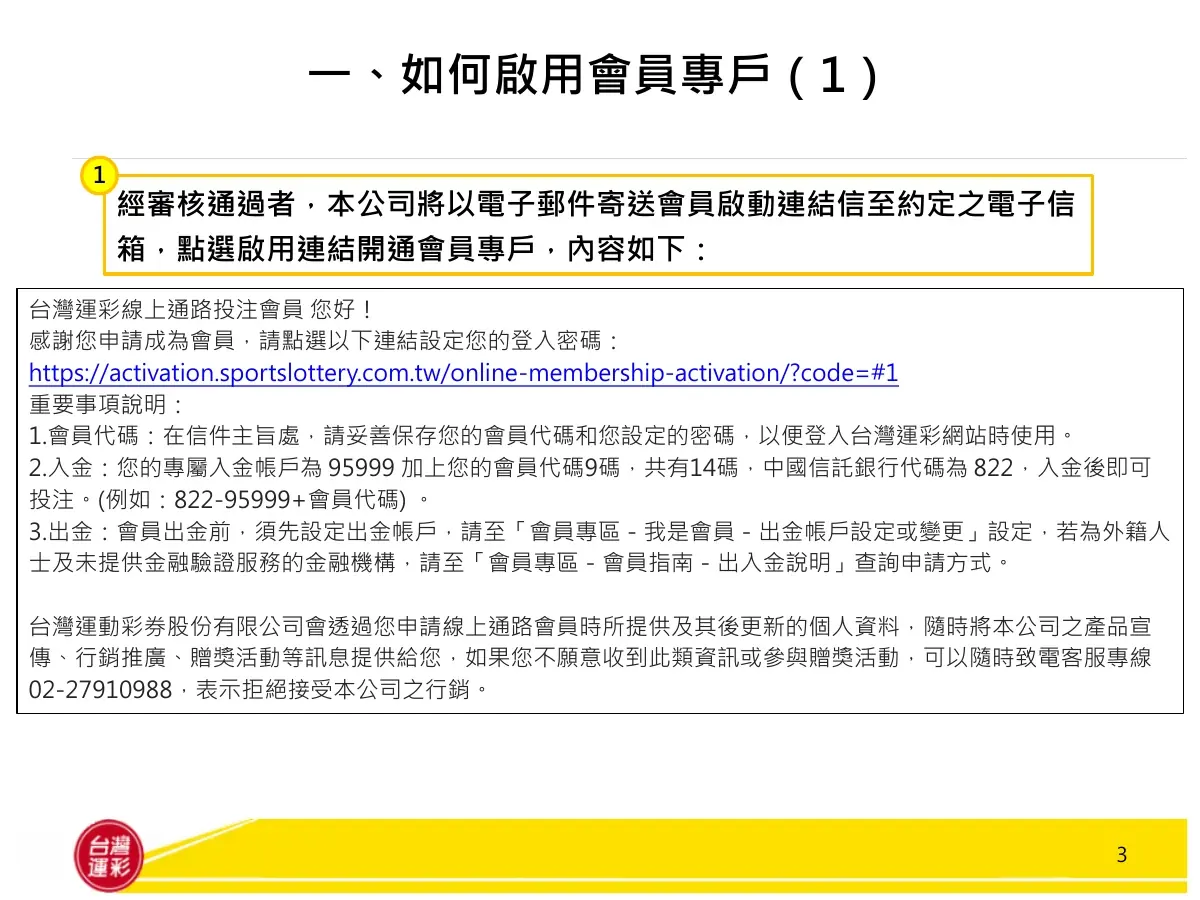
Taiwan Sports Lottery sends an activation email (會員啟動連結信) to the email you entered. It contains:
- The activation link — click it to set your password.
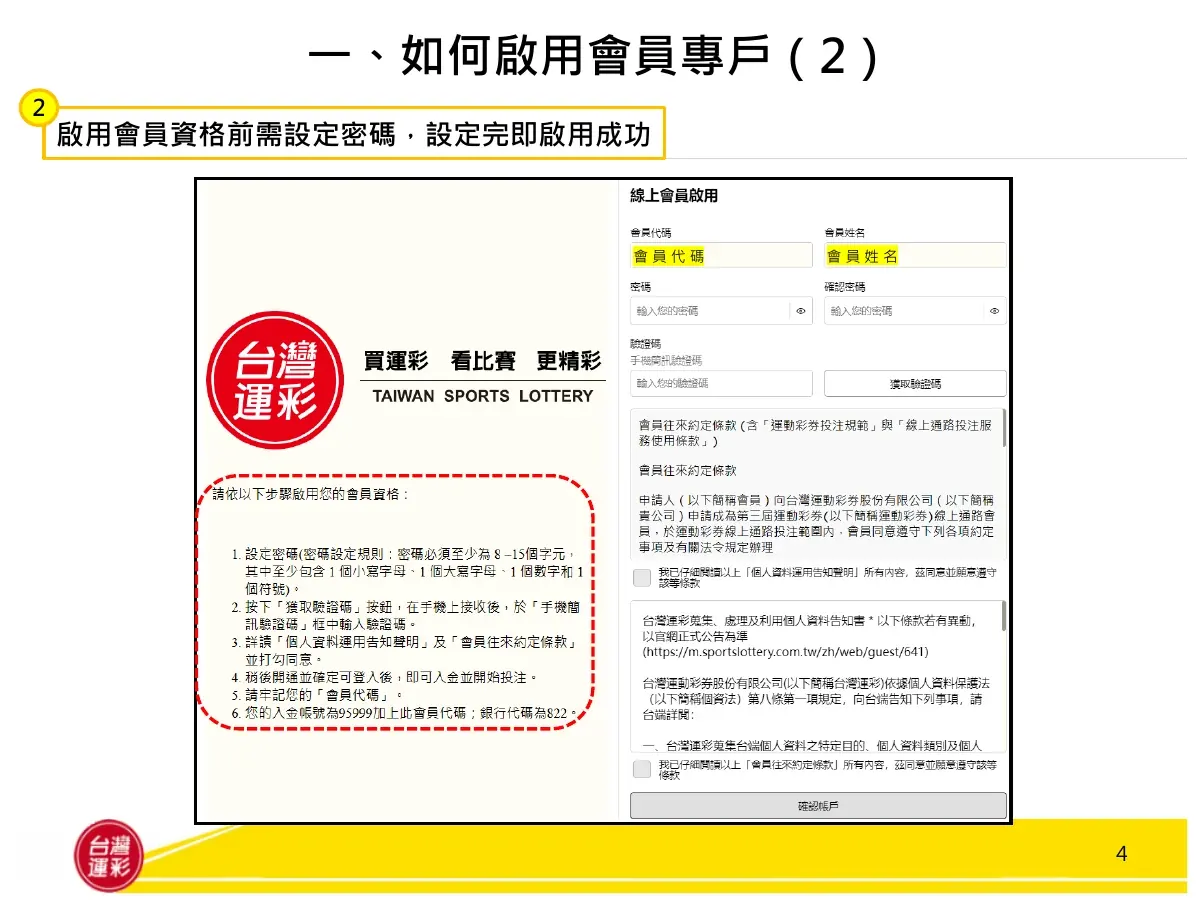
- Your member code (會員代碼, 9 digits) — in the email subject. Keep it safe; you need it to log in.
- Your deposit account number — 95999 + your 9-digit member code (14 digits), bank code 822 (CTBC Bank).
Then set your password:
- Password: 8–15 characters, with at least one lowercase letter, one uppercase letter, one number and one symbol.
- Press 獲取驗證碼 and type the SMS code.
- Read the two notices and tick to agree.
- Press 確認帳戶 (confirm). You can now log in, deposit and bet.
Before you withdraw: set your withdrawal account
To take out winnings, first set a withdrawal bank account in your own name:
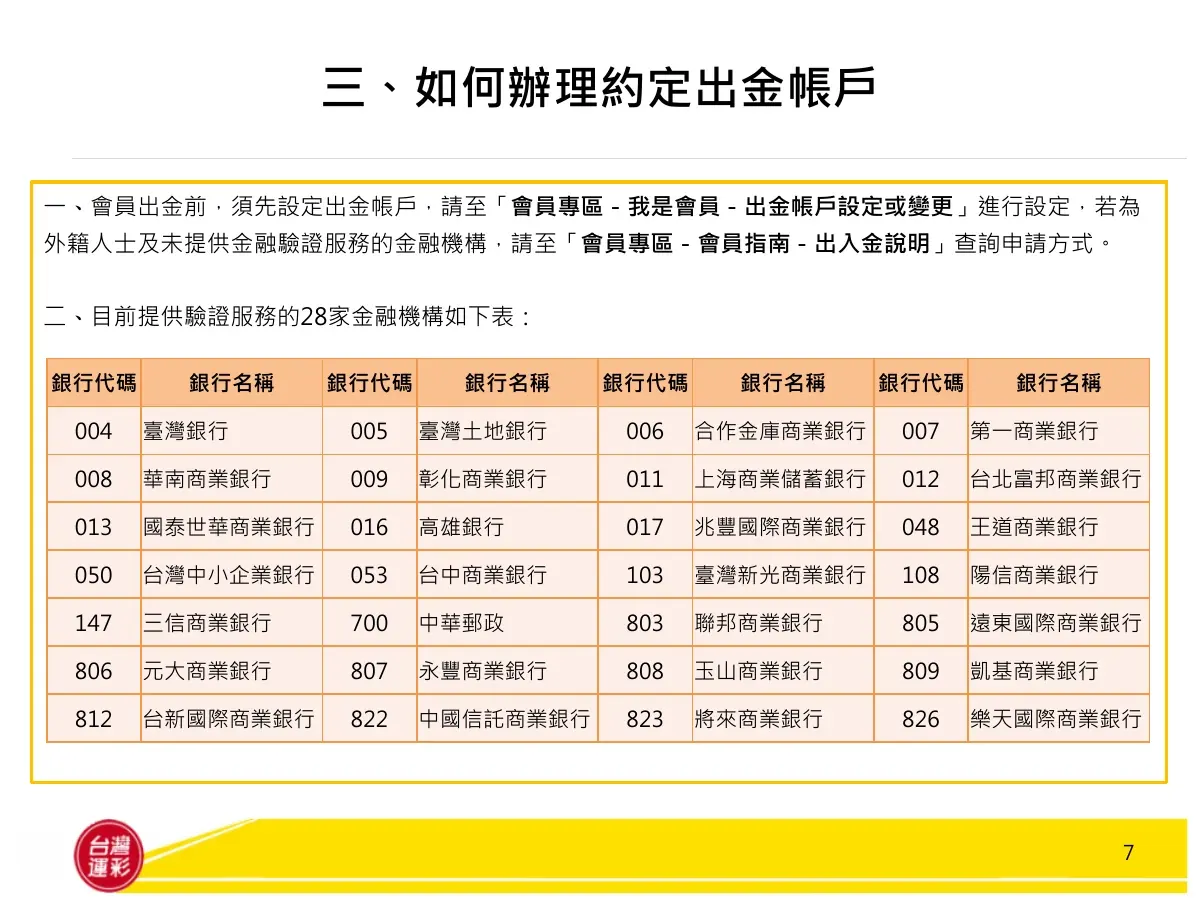
- After logging in, go to 會員專區 → 我是會員 → 出金帳戶設定或變更 (withdrawal account setup).
- 28 banks support online verification (see the table below). Foreigners, or if your bank is not on the list, follow the official instructions under 會員專區 → 會員指南 → 出入金說明.
- Withdrawals to banks other than CTBC have an inter-bank fee.
Please read the official betting rules before you bet, and bet responsibly.

 Grab your phone and scan