Print the Taiwan Sports Lottery Application Form at 7-Eleven ibon

Our pre-filled official form is stored in 7-Eleven ibon cloud printing. Use the code below at any 7-Eleven in Taiwan.

In 1 minute

Code (new)
New member application: ASUS G6HBM LKBN
Code (change)
Change details or retailer: ASUS 4SNJF VKY5
Steps
ibon home → 代碼輸入/掃描 → type the code (or scan the QR) → choose the file → preview → print → pay at the counter.

Pickup codes

Purpose 7-Eleven ibon pickup code
New member application ASUS G6HBM LKBN
Change member details / service retailer ASUS 4SNJF VKY5

The form already has our retailer number 93121097 (兆豐運彩) printed on it.

6 steps at the ibon kiosk

The pictures are illustrations made by our shop. The real kiosk screen prevails.

1On the ibon home screen, tap 代碼輸入/掃描 (top left)
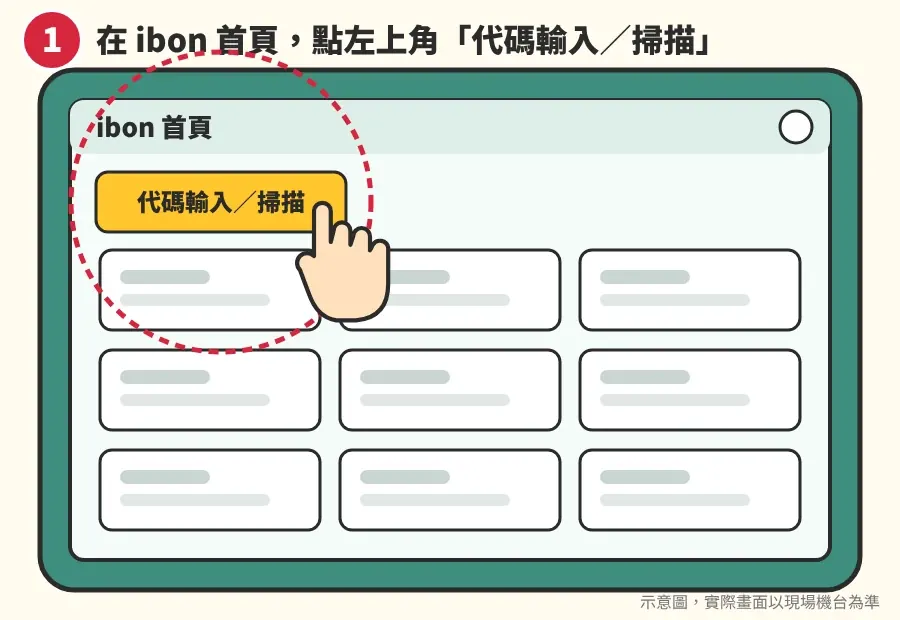
Illustration of the ibon home screen: tap the code input button at the top left
2Find the form — choose one of these two ways
Way 1 | Type the code

Type the pickup code and tap 下一步 (Next):

New application:
ASUS G6HBM LKBN

Change details or retailer:
ASUS 4SNJF VKY5
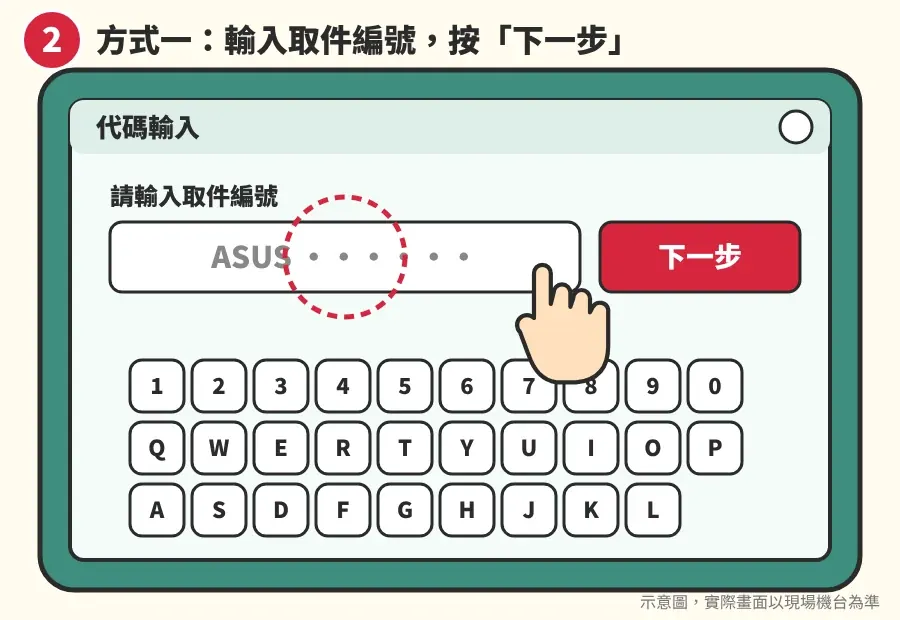
Illustration: type the pickup code and tap Next
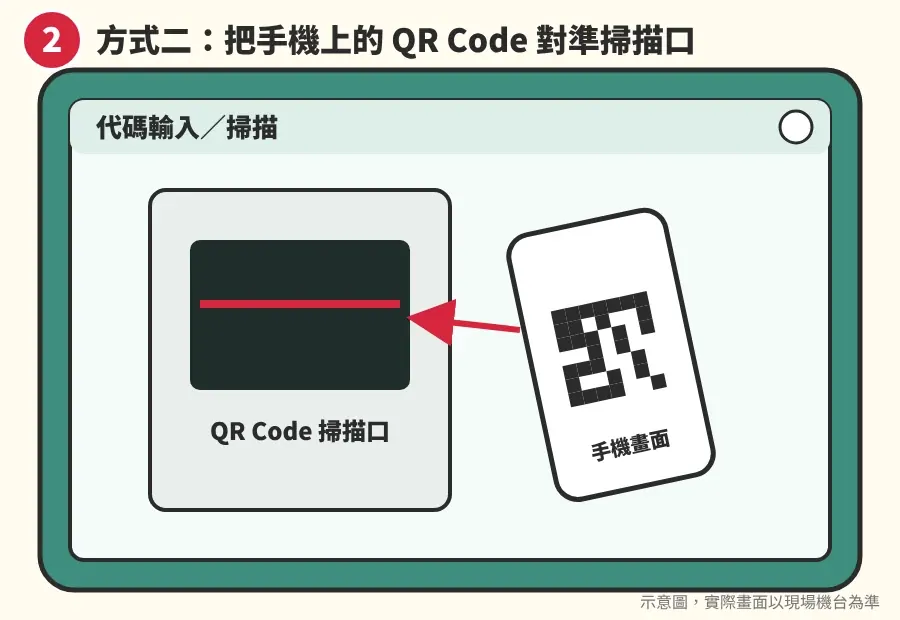
Way 2 | Scan the QR code

Open this page on your phone, tap a button to show the QR code, and hold it to the scanner:

New application: ASUS G6HBM LKBN7-Eleven ibon QR code for the new member application form
Change details or retailer: ASUS 4SNJF VKY57-Eleven ibon QR code for the change of details or retailer form
Illustration: hold the QR code on your phone to the kiosk scanner
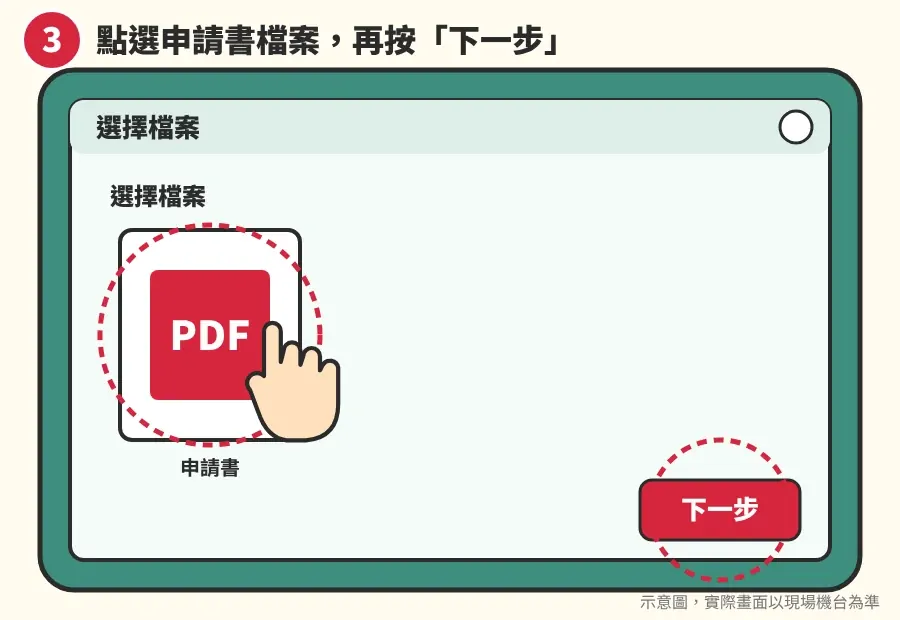
3Tap the form file, then 下一步 (Next)
Illustration: choose the PDF form and tap Next
4Check the preview is the Taiwan Sports Lottery form, tap 下一步
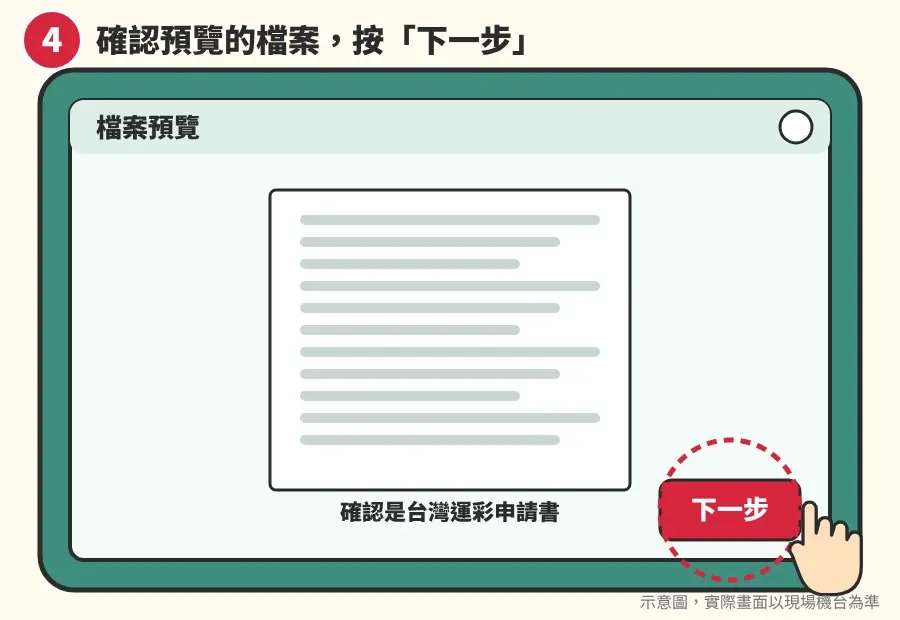
Illustration: preview the file and tap Next
5Keep the print settings as they are, tap 下一步
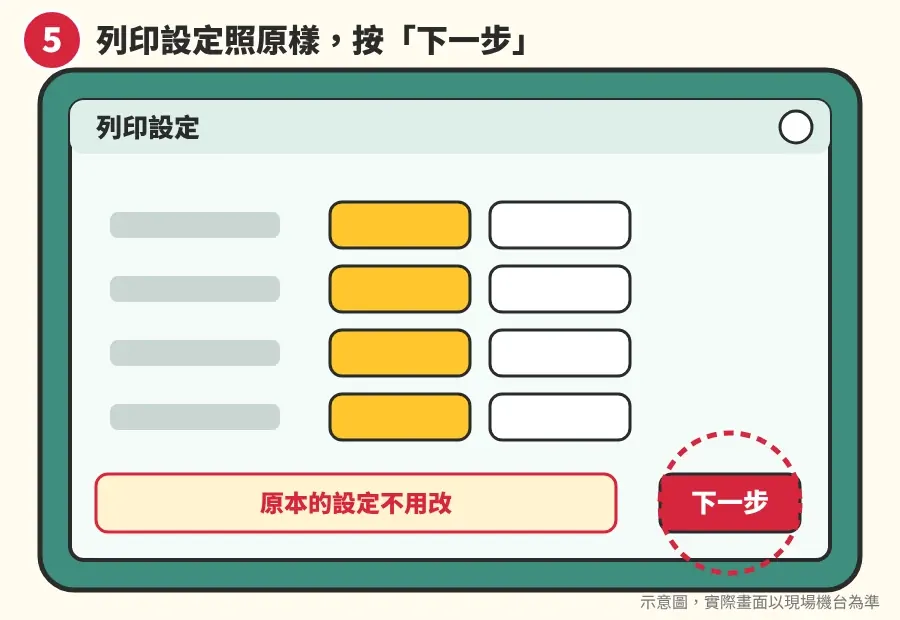
Illustration: keep the default print settings and tap Next
6Confirm, print, then pay at the counter

After you confirm, the kiosk prints the form. Take the form and the small receipt slip (明細單) to the counter and pay. The price is shown on the screen.
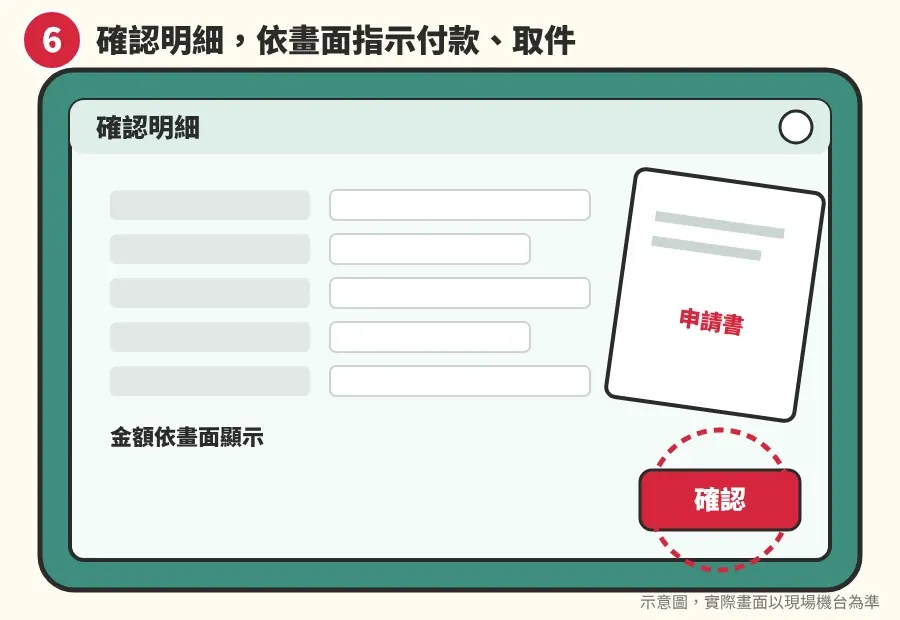
Illustration: confirm the details, print, then pay at the counter

After printing

  • New member: see how to fill in the paper form.
  • Changing your details or service retailer: the change form works the same way — tick what you want to change, fill in your name, ARC number and the new details, sign, and send it to Taiwan Sports Lottery. Questions? Ask us on LINE.

Apply online (official website, Chinese) ↗

Opens the official Taiwan Sports Lottery application page with our retailer number 93121097 already filled in. The page is in Chinese — use our step-by-step guide.

Questions? Message us on LINE. We are happy to help. We mainly reply in Chinese — you can write in simple English or use a translation app.

Last checked: 2026-11-12

兆豐運彩吉祥物小豐比讚
Not a member yet? Apply online in about 3 minutes

Free to apply · Activated the same day · Bet on your phone, no need to go to a lottery shop

The button opens the official Taiwan Sports Lottery website (in Chinese).

Taiwan Sports Lottery member application QR codeGrab your phone and scanJoin online in about 3 minutes — bet without leaving home!
Apply online (official website, Chinese) ↗